先推广一下之前写的文章:'Vscode自定义注释说明' (opens new window)
- 点击
Vscode右下角设置,选择用户代码片段
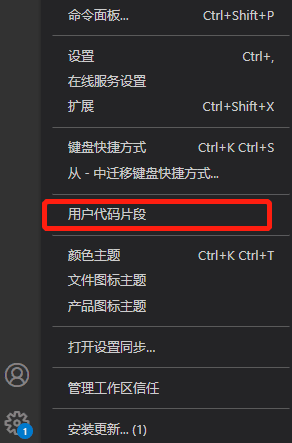
- 在出现搜索框中输入
vue.json,并打开对应文件

- 在 json 文件中添加一下内容
	"Print to console": {
        "prefix": "vuetem",
        "body": [
          "<template>",
          "  <div></div>",
          "</template>",
          "",
          "<script>",
          "export default {",
          "  name: '$0',",
          "  components: {},",
          "  data() {",
          "    return {}",
          "  },",
          "  methods: {}",
          "}",
          "",
          "</script>",
          "<style lang='less' scoped>",
		      "",
          "</style>"

      ],
        "description": "a vue template"
  }
- 使用
- 打开 vue 页面
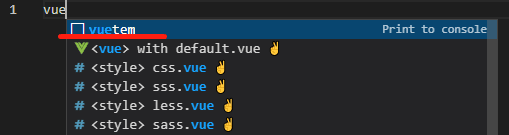
- 在顶部输入
vuetem点击确定即可 (不用全部输完,会自动提示,选择我们创建的模板名称即可)